A gift card is an electronic money card that has been preloaded with an amount of money upon purchase from a big store or a multinational company. For gift cards to be used, they must be activated by the awarding party.
There are many gift card options out there – Sezzle, Amazon, Visa, iTunes, Google Play, Sephora, Nike, Walmart, and a lot of others. If you wonder about how to use Visa gift card on Amazon, this article will answer all of your questions.
What is a Visa gift card?
A visa gift card is pretty much like gift cards sold by other stores, except this one is sold by Visa. The Visa gift card is ideal for birthdays, holidays, weddings, and other events that could warrant you giving gifts.
A Visa gift card is a secure card that can be replaced if lost or stolen and can be used for all sorts of payments, from online to old-school shopping.
What are gift cards?
A gift card is an option for offline and online payment that was created to give people a better experience with online shopping, sharing of gifts between friends and family, and payment both online and offline.
When compared with other alternatives like old-school cash payment and the newer online payment, gift cards edge over the duo as they can be used literally anywhere.
Gift cards are of two types: physical and virtual gift cards. The physical variant is one that you can see, touch, and physically hand to someone else. This type of gift card could be purchased in physical stores or on authorized online platforms.
For a gift card that is purchased online, the card can be delivered to a physical location that must be stated upon payment. While some card deliveries are totally free, others may require some amount for shipping or courier service depending on the issuer and the destination of delivery.
On the other hand, virtual gift cards are known as e-gift cards. Because the cards essentially carry redeemable codes, it makes sense to call them e-codes. They are essentially used for online transactions.
How to activate a Visa gift card?
You will need to activate a Visa gift card before you can use it for payment anywhere. Depending on the issuer of the card, it can be activated automatically upon purchase or require a few other procedures.
If you encounter any problem with the activation of a gift card, you can always call the number provided on the back of the card to enquire about the confusion.
Visa gift cards also carry a one-time purchase or activation fee, typically somewhere between $3 and $7 depending on the card’s loaded value. This fee is charged upfront at the register on top of the amount you’re loading, not deducted from the card’s balance afterward. So a $50 gift card still gives you the full $50 to spend, but you’d pay around $54 to $57 total to buy it.
What can I use a Visa gift card for?
Gift cards serve a lot of purposes to the issuer and the holder of the card. As the card user, you can use a Visa gift card, or any other gift card, for all of the following:
Gift giving
A gift card allows the recipient to take full control of looking for the perfect gift. If you have a friend who enjoys playing games and owning accessories, a gift card enables them to purchase one of their dream accessories. This applies to other inclinations too.
Gift cards save you card charges
Gift cards come in handy when you want to plan your budget. While they are pretty much debit/credit cards in functionality, they do not deduct monthly charges like typical debit and credit cards. They are a great tool for effectively planning your income. Let’s say you only want to spend $500 on groceries for a month, you can get a $500 Visa gift card to make that possible. You only have to make up your mind to stick to the plan.
How to add a Visa gift card to my Amazon account?
A Visa gift card is an option you want to have. Compared with an Amazon gift card, a Visa gift card serves more purposes and has no restrictions. However, how do you add one to your account?
To use a Visa card on Amazon, you would need to add the gift card beforehand. This can be done by taking the following steps.
- Ensure that the Visa card is activated. Ideally, this should be done after purchasing the card at a store but in the case that you have your reasons for not activating it instantly, you can always call the number on the back of the card to request help about the card.
- Proceed to the homepage of Amazon. As a user who is logged in, you should see a screen like the one below. You will then have to hover on Account & Lists. In the case you are not logged in, you will be required to provide your login details to proceed.
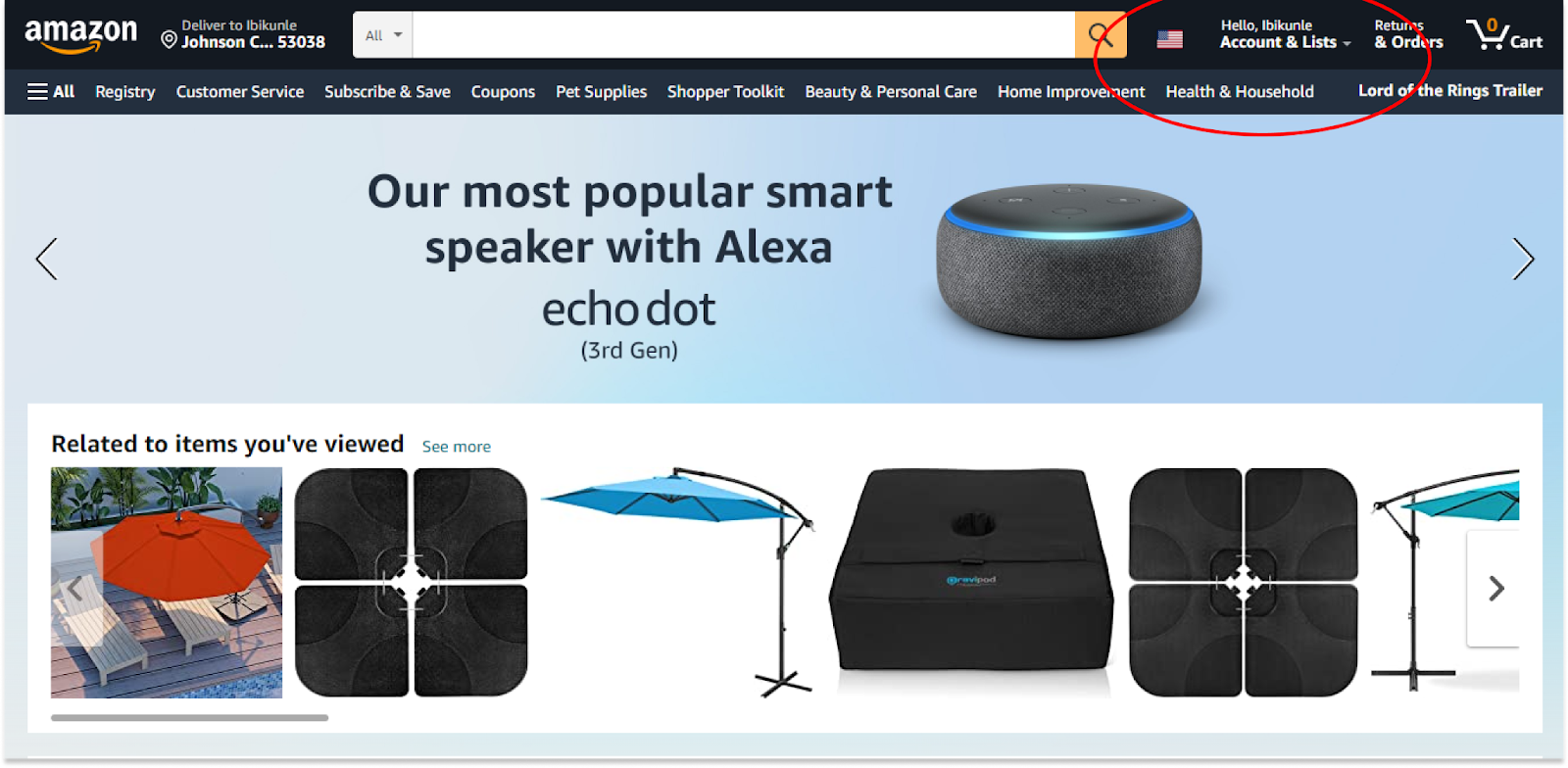
- Look for Account in the drop-down menu. It is usually the first option you will find below Your Account.
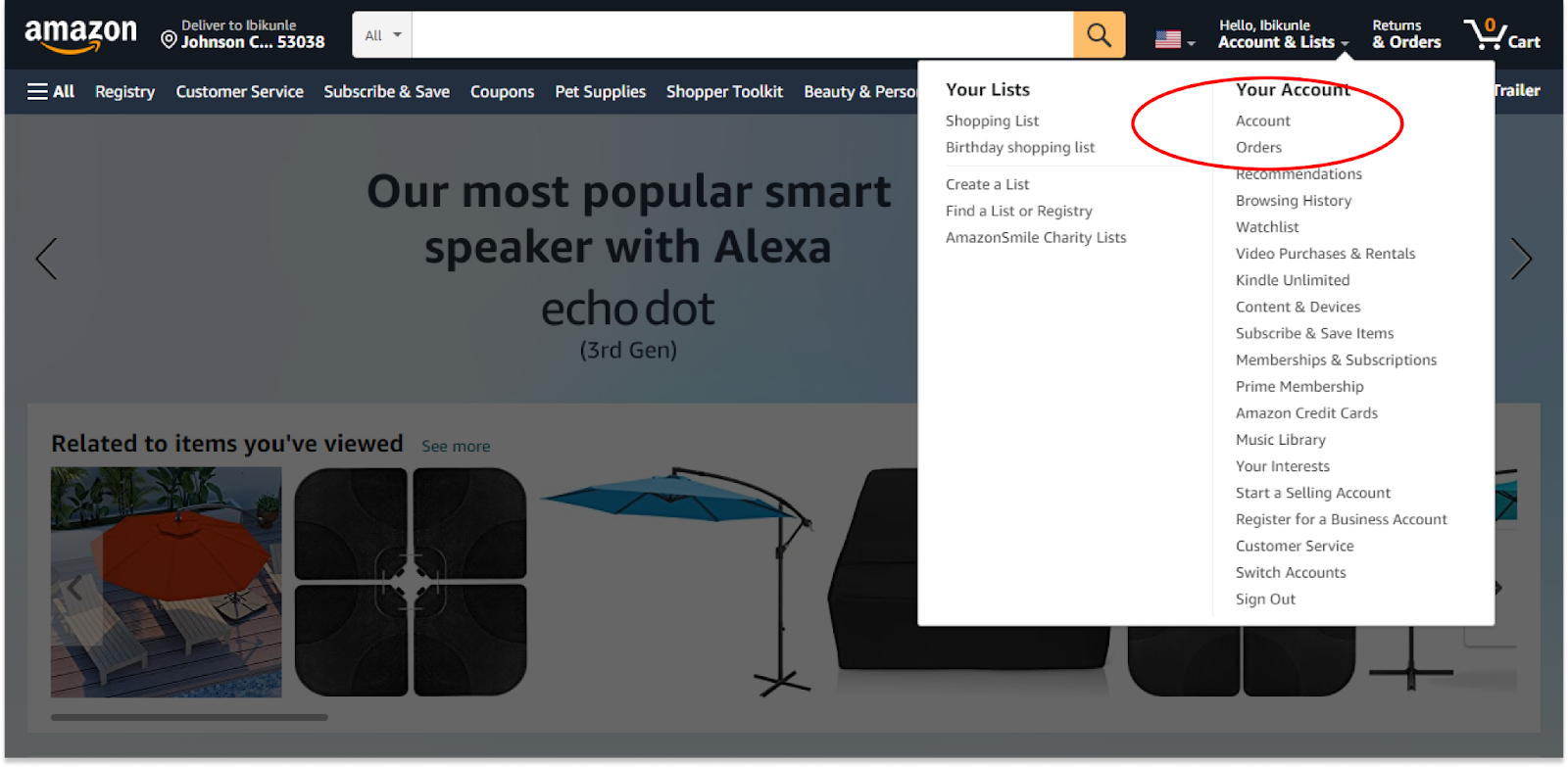
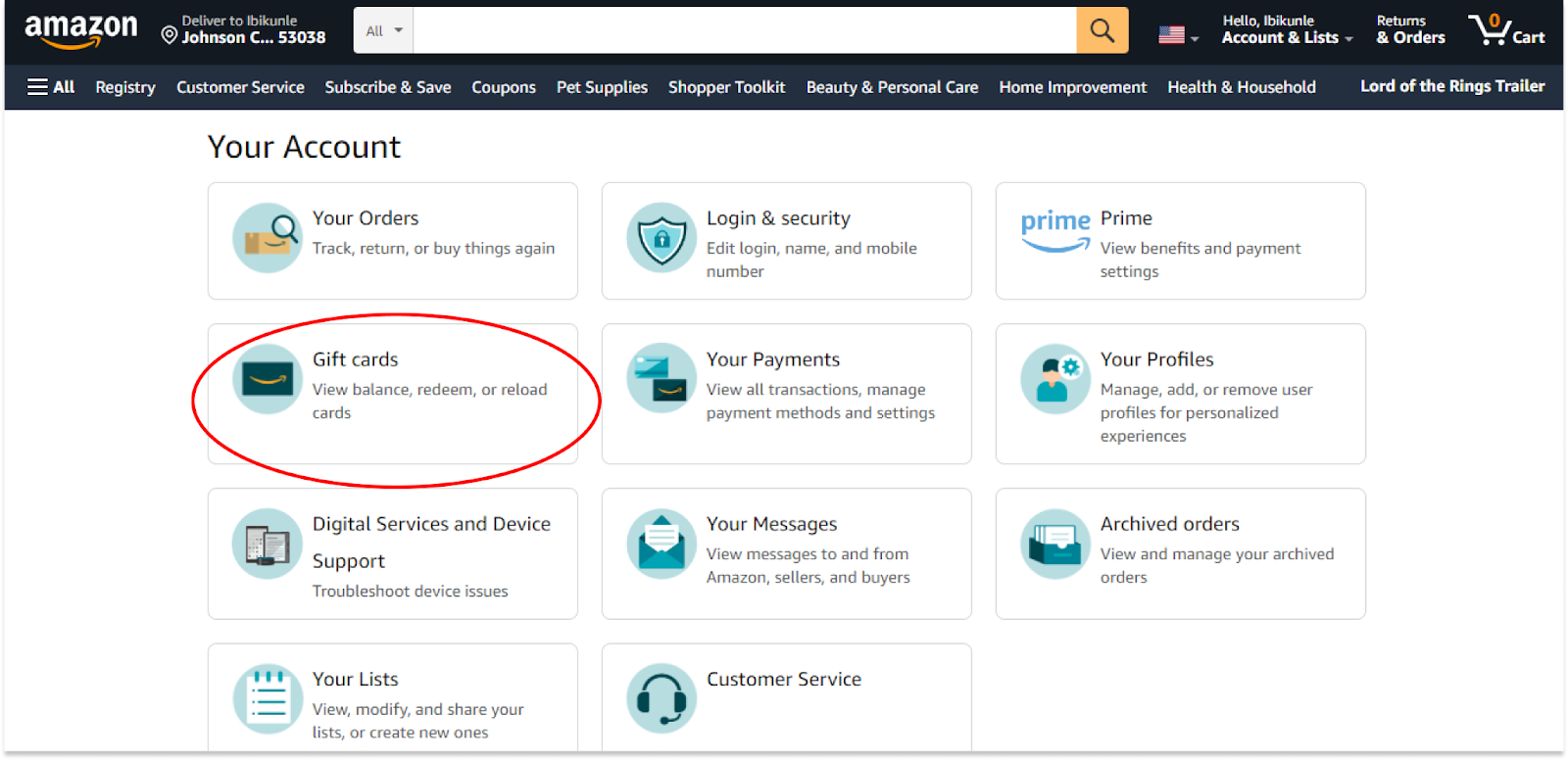
- From here, you can look for and click on Gift cards. This is where you make your payment.
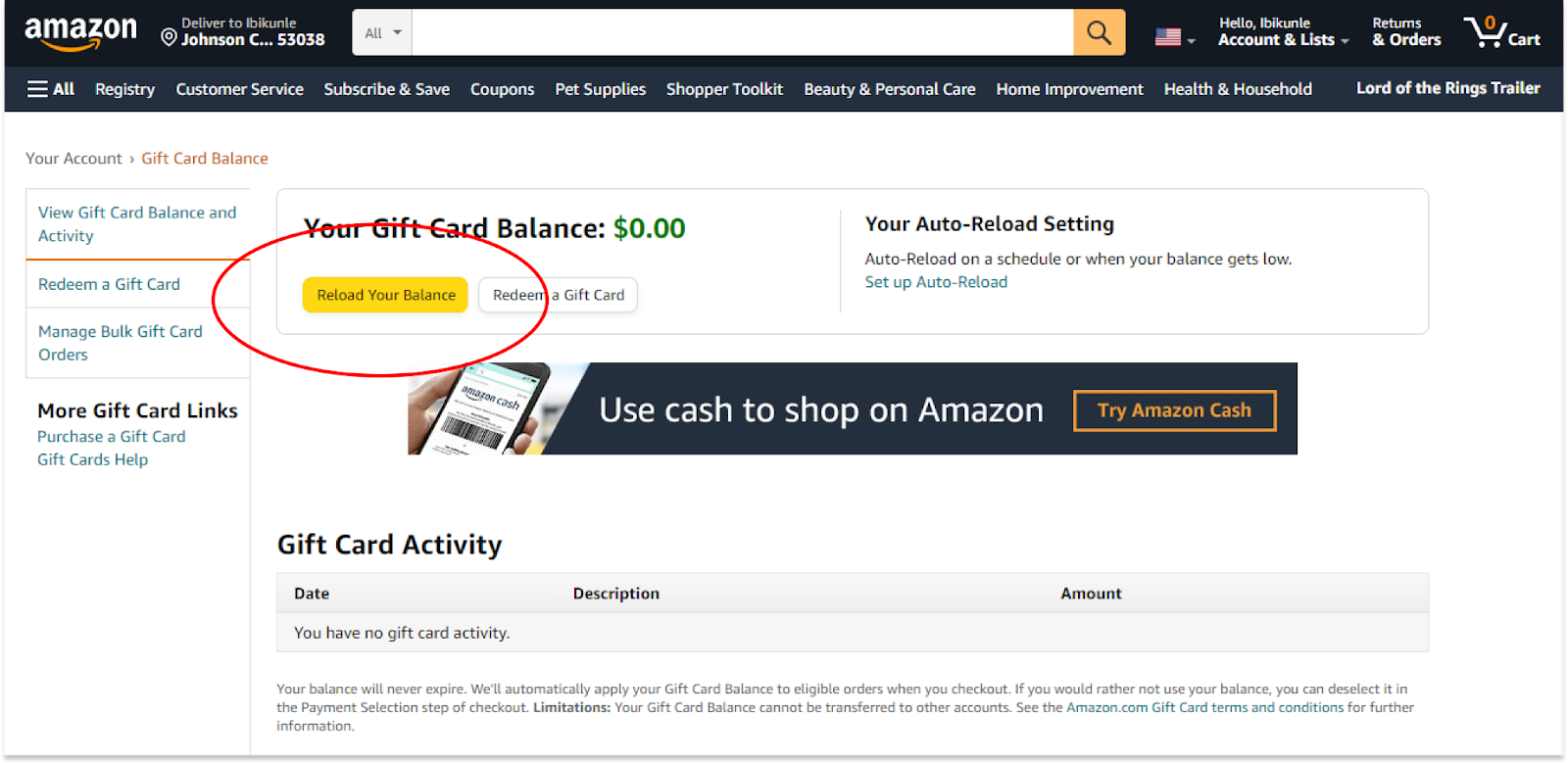
- You will see two options for a gift card on this page. For the purpose of the chapter, we will click on Reload Your Balance.
- You can then specify the value of the gift card you want to add to your Amazon account. Should the value you intended to add not be in the options, you can always click on Other to add a custom figure.
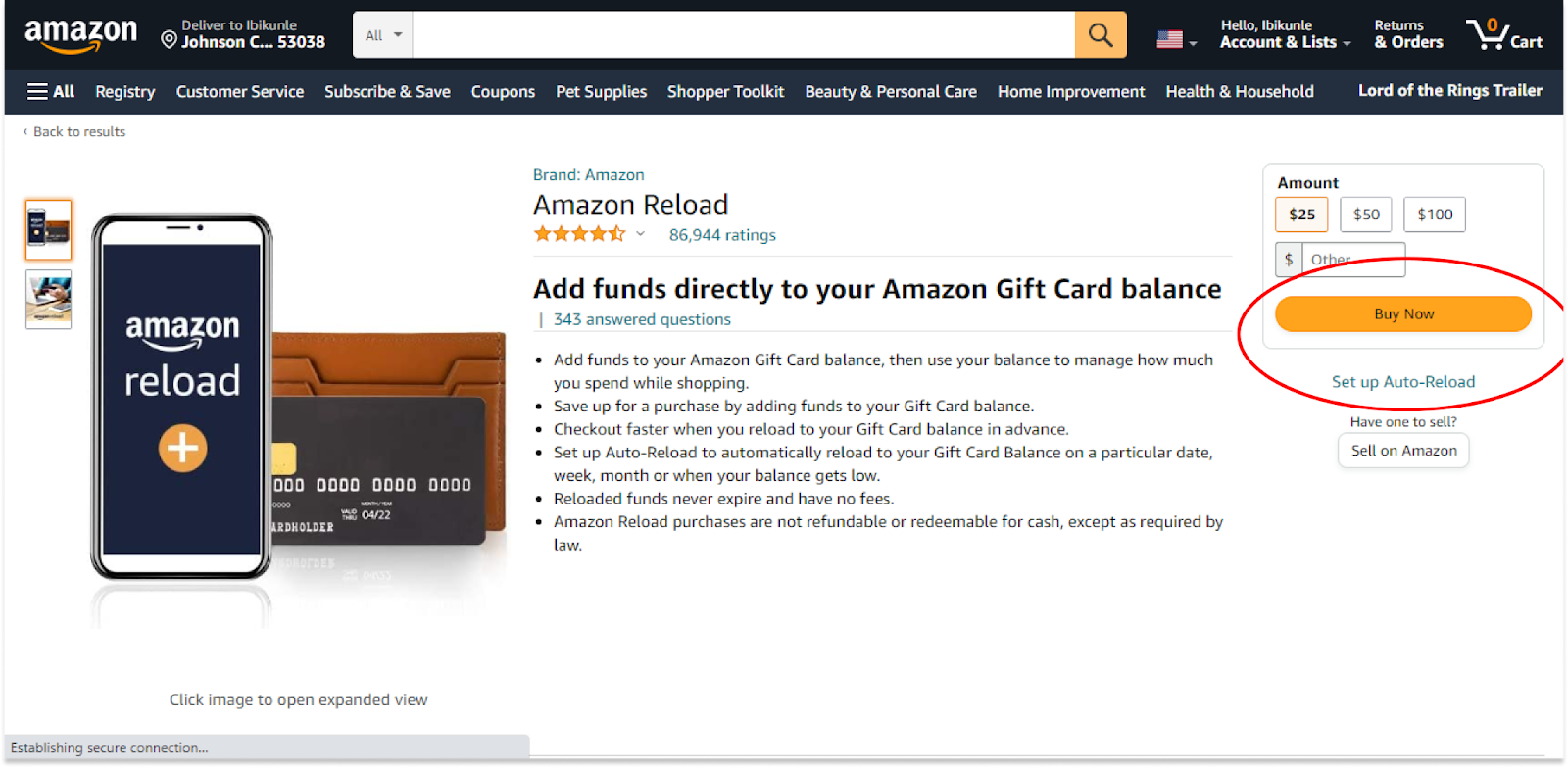
- After adding this gift card, you can then start using it.
How to use Visa gift card on Amazon website?
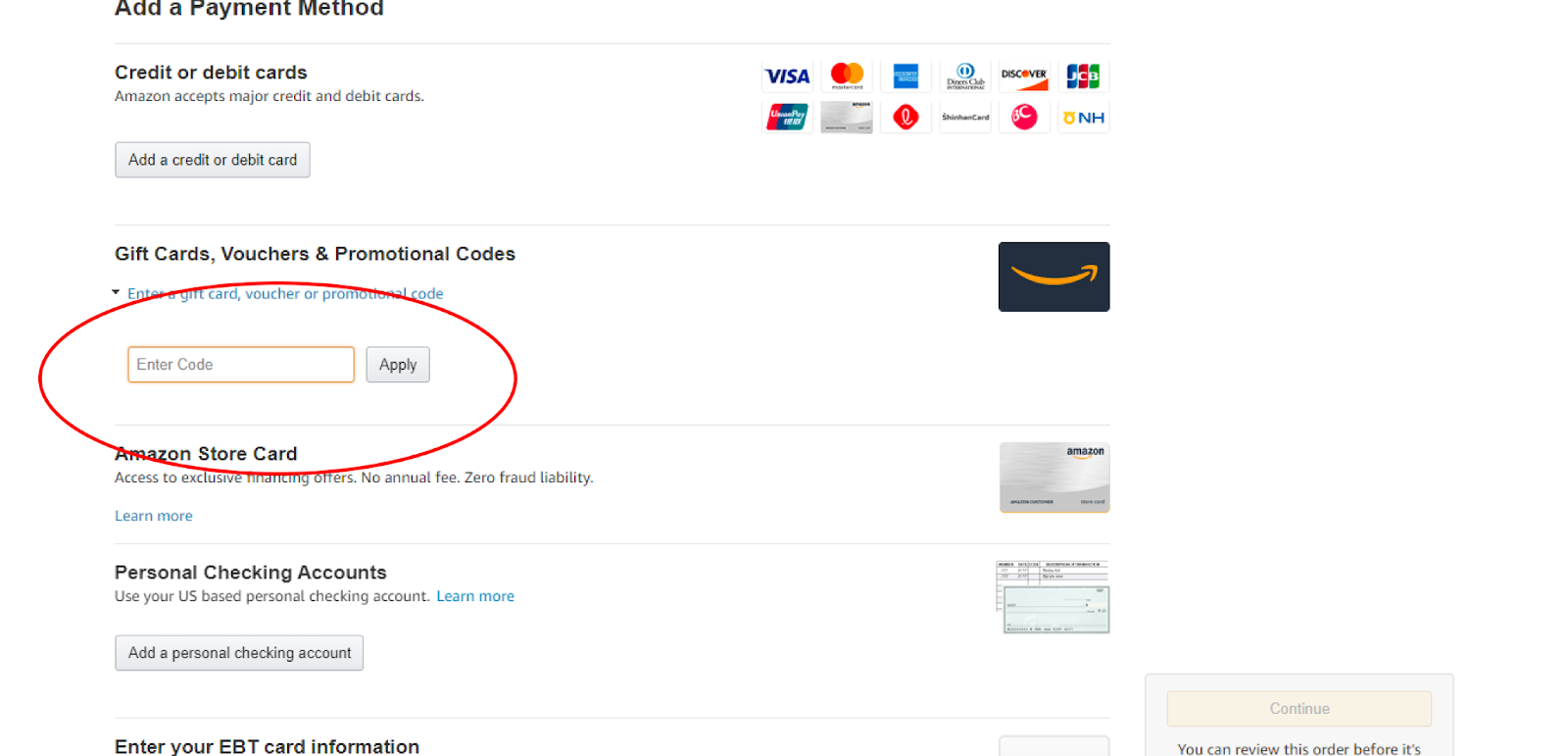
There’s one important thing to understand before you start: a Visa gift card works on Amazon only as a regular credit or debit card added to your payment methods, never as a redeemable gift card code. If you try to enter it in Amazon’s “Redeem a gift card” box the way you would an actual Amazon gift card, it won’t work, since that box is only for Amazon-issued gift cards.
Kindly follow the guide below to use one on a product.
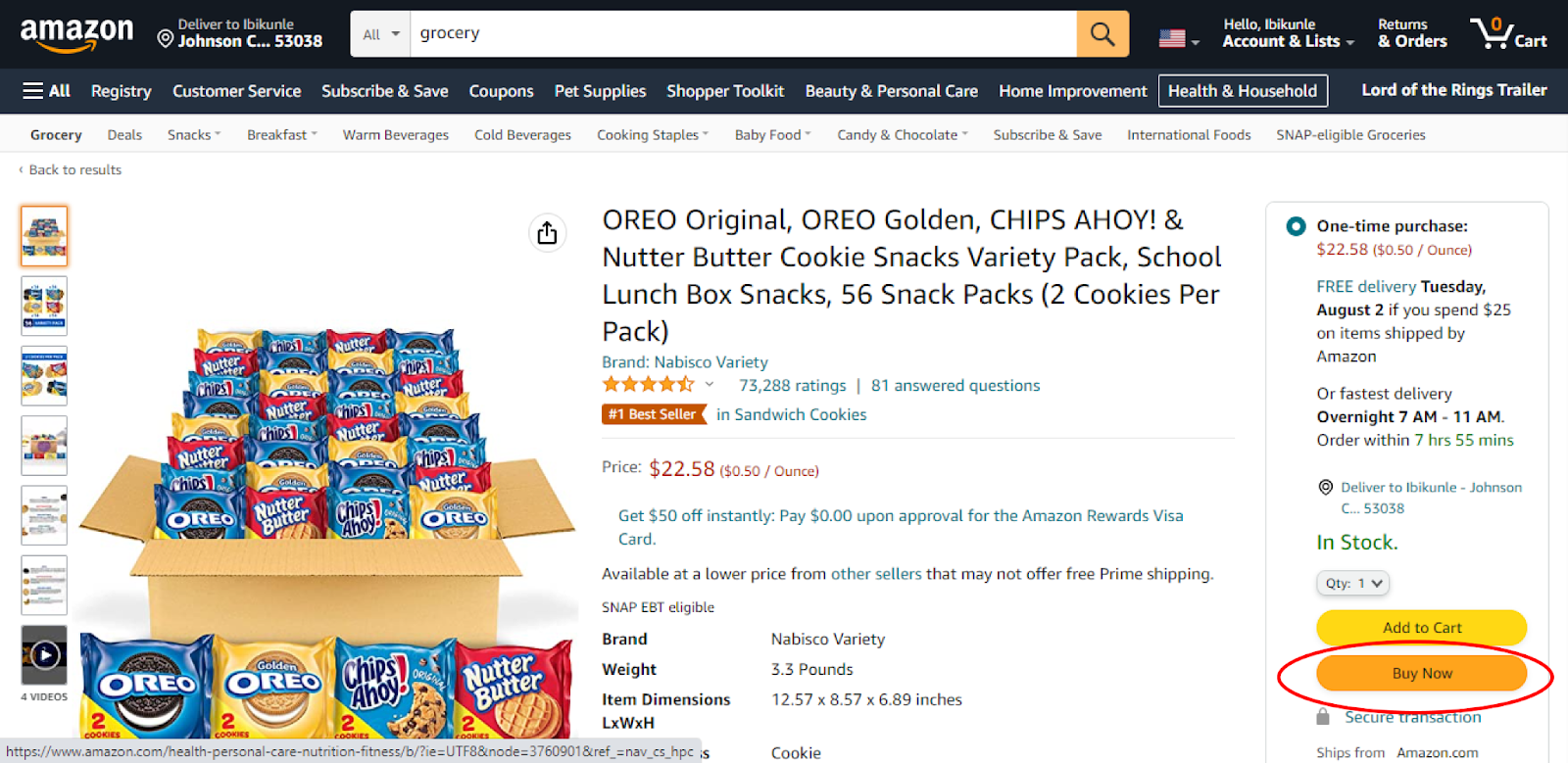
- When on the product page, you can click on Buy Now or Add to Cart depending on whether you want to pay immediately or get a few other items. Since we are only paying for this one item, we will click Buy Now.
- You will be directed to the payment page. There are a few options you could choose from. Select the Visa gift card you added earlier from your saved payment methods (rather than the gift card redemption box), and your order will be on its way. Keep in mind the card needs to cover the entire order, including tax and shipping, since Amazon won’t split a single order’s charge across two cards.
How to add a Visa gift card to Amazon mobile application?
The principle for adding an Amazon gift card is similar for Androids and iPhones. By following the guide provided below, you should have no problem setting up your Visa gift card on Amazon.
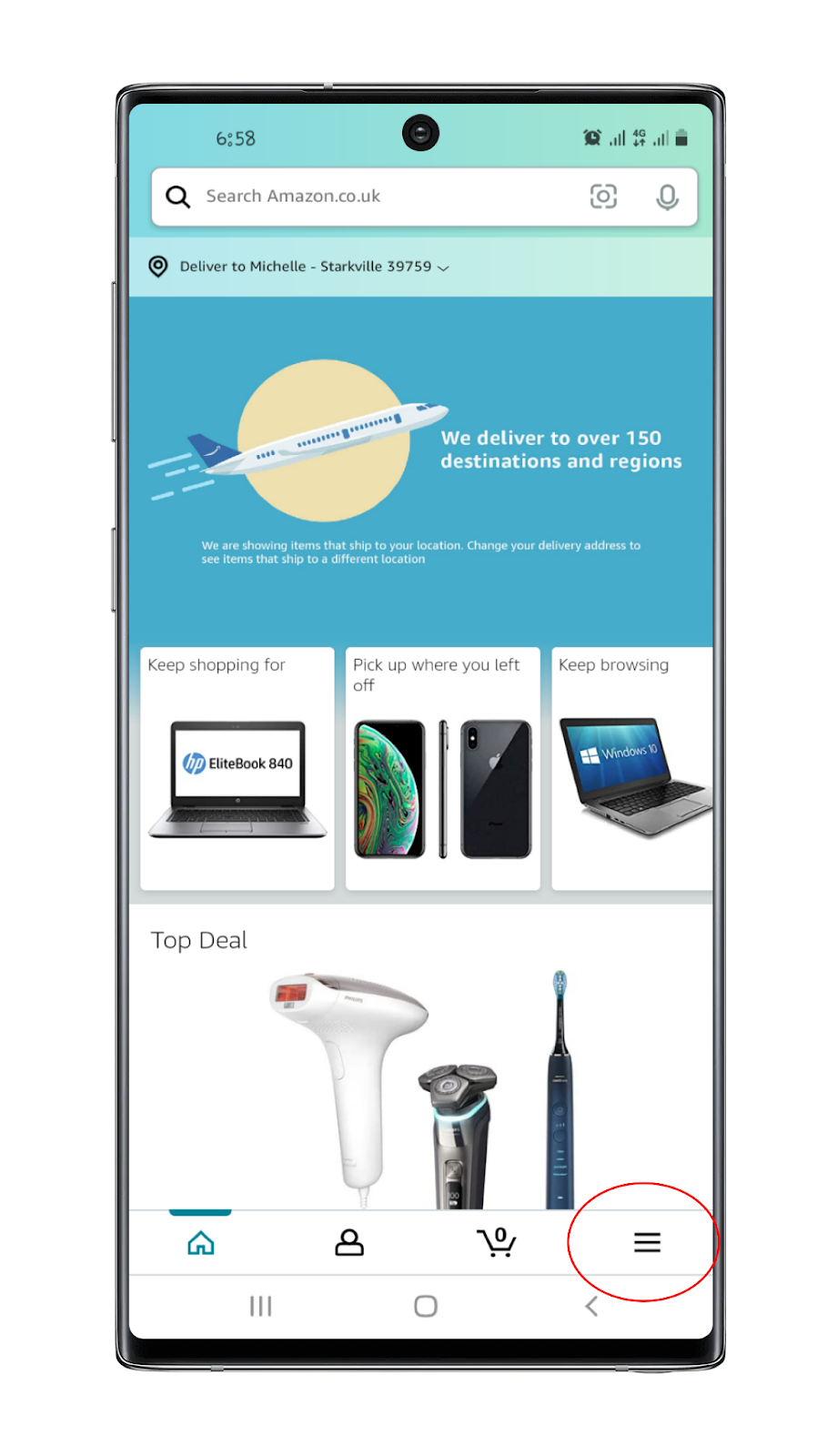
- Open your Amazon mobile application and sign in to your account. On the homepage, look for the navigation bar and the hamburger menu in particular. This usually looks like three dashed stacked on one another as can be seen in the screenshot below.
- Look for Your Account and tab on it. If you followed the guide for how to add a Visa gift card on a Desktop, this should look similar in principle to the website.
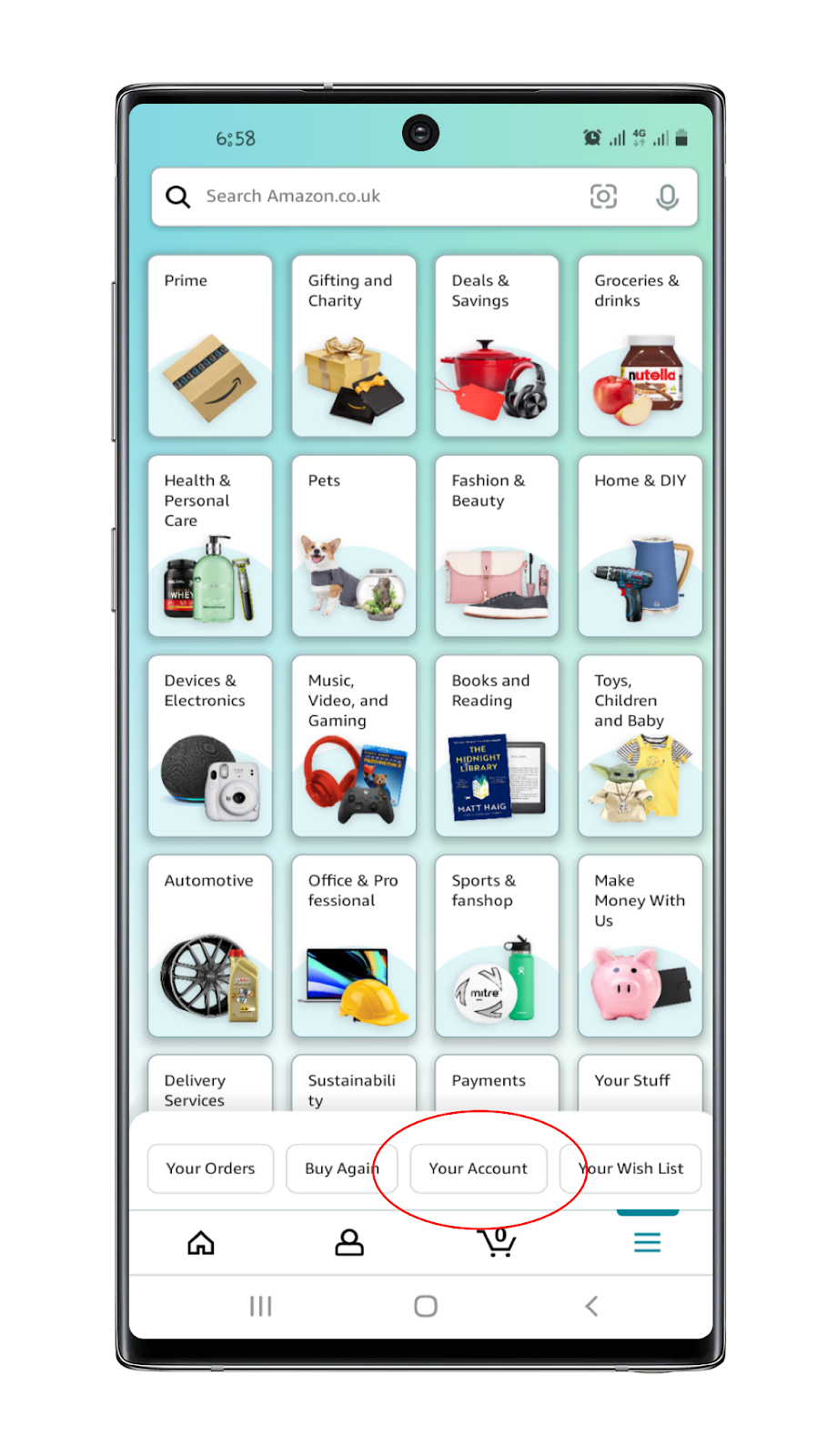
- You will be redirected to a page under your profile. This contains a lot of options. The one function we are interested in is closer to the extreme end of the long list. From here, we will scroll down till we see the Manage gift card balance.
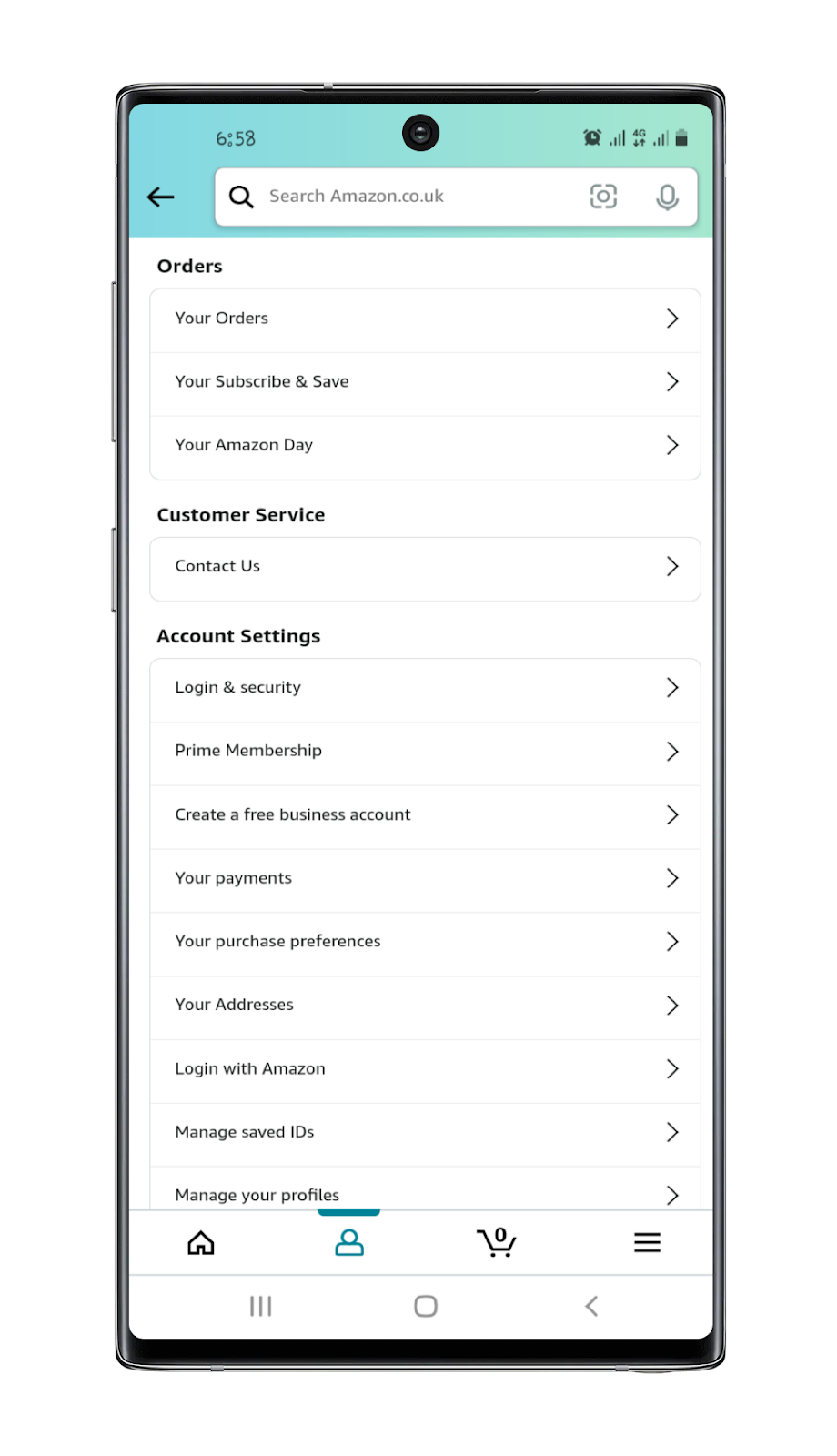
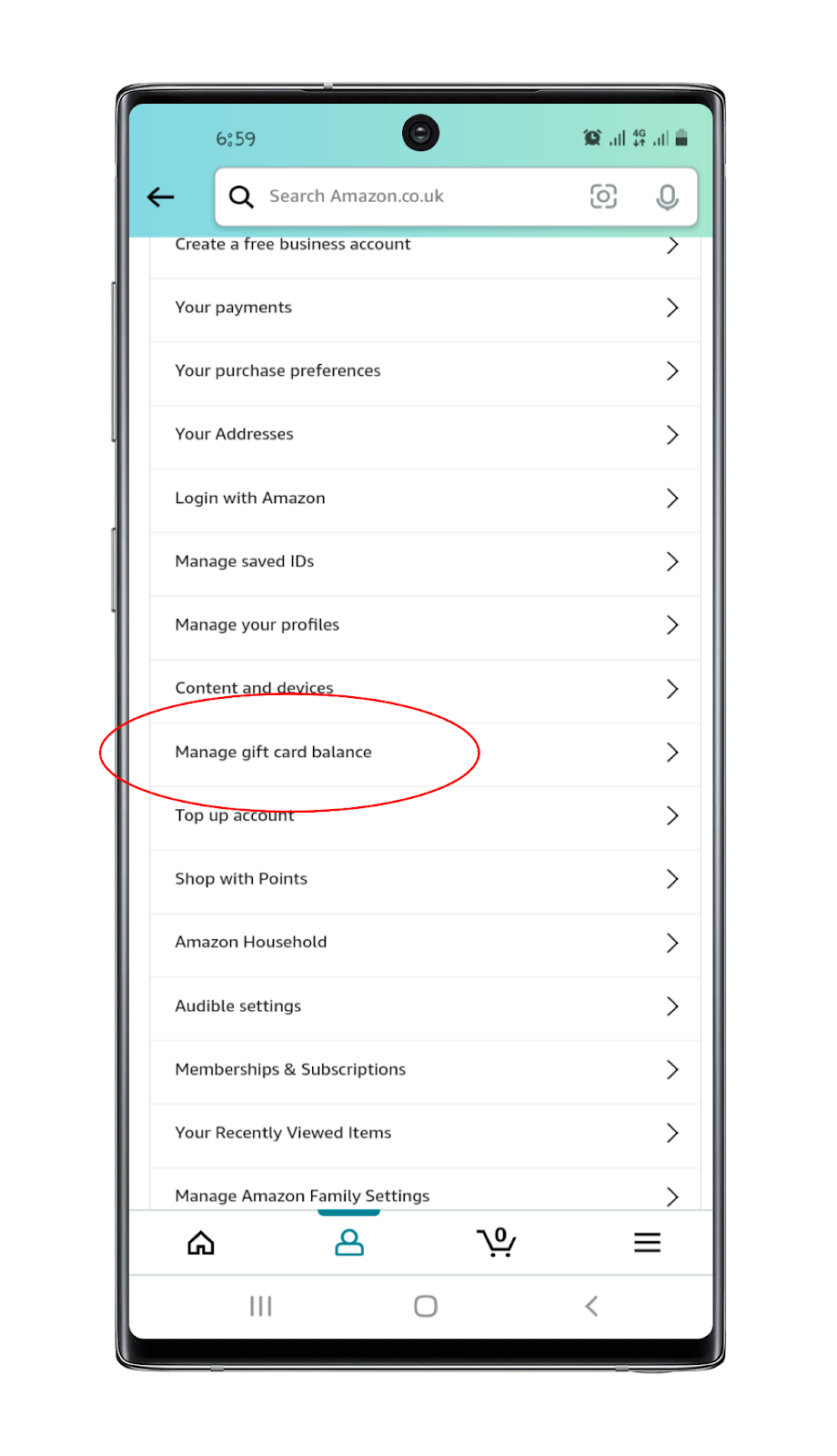
- Tab on Manage gift card balance
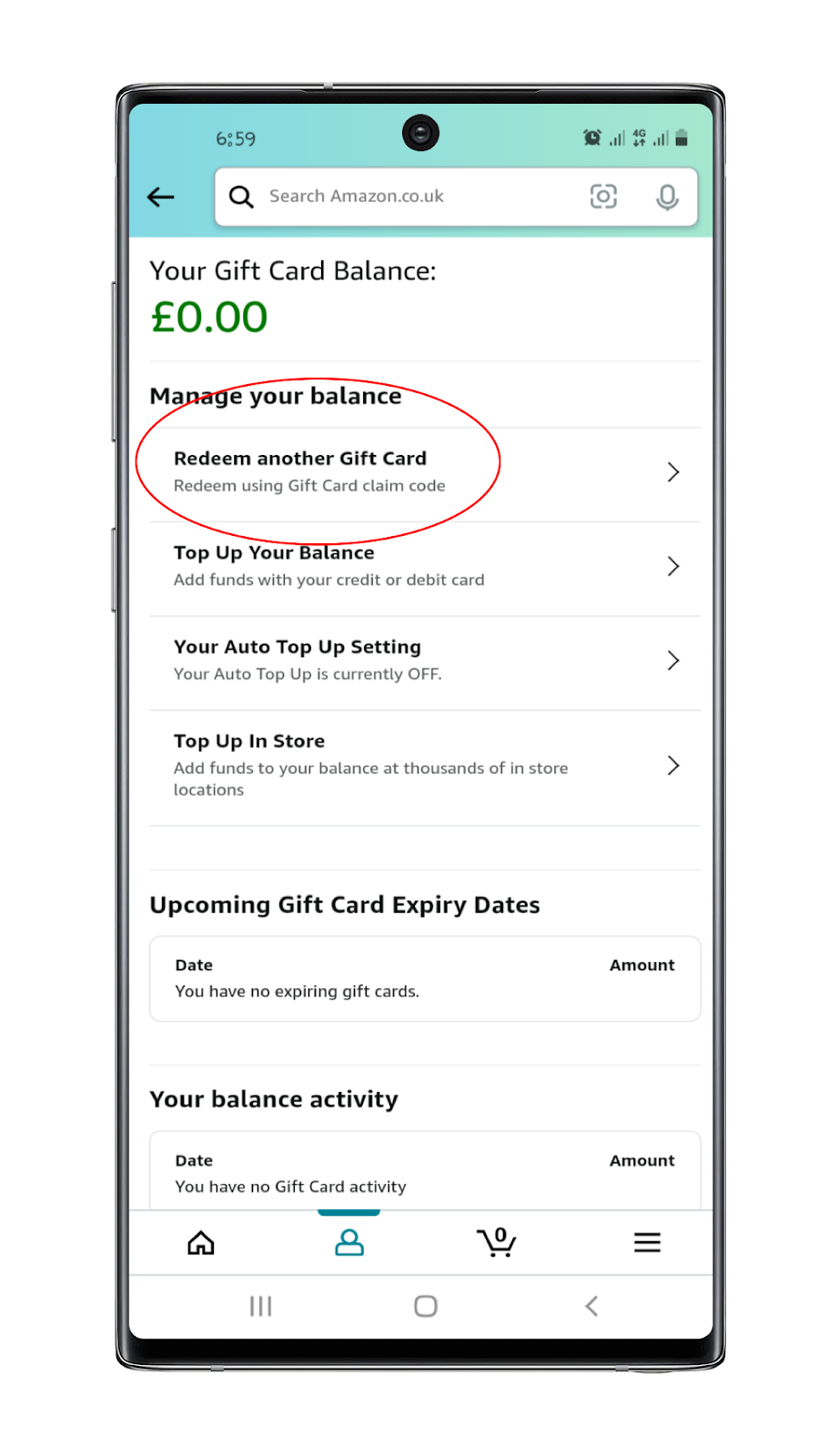
- You will then be redirected to a page where you can top-up your account. Since we want to add a Visa gift card, the option of interest to us is to Redeem another Gift card.
How to use a Visa gift card on Amazon mobile application?
To use the gift card you just added to pay for a product, you can follow the guide that was given for Desktop as they are the same.
- Sign in to your account
- Look for a product you want to buy and tap on it
- On the product page, you can pick one of Buy Now and Add to Cart. If you plan to shop more, adding to your cart is the best choice
- At checkout, select the Visa gift card you added earlier from your saved payment methods, since it works as a regular card rather than a redeemable gift card code