A lot of Apple fans who also shop at Walmart are always curious to know Walmart’s policy on Apple Pay.
Apple Pay is a form of digital payment, and a quick way for iPhone users, Apple watch users, iPad users, and users of other Apple products to check out in-store and online.
Apple Pay replaces the use of credit cards and cash. It also has some benefits aside from being faster, easier, safer, and more secure.
Millions of websites, apps, and thousands of retail stores accept Apple Pay for the purchase of products both online and in-store.
Now the question is, does Walmart take Apple Pay for purchases of products either in-store, online, or both? As of August 2026, the answer is finally yes at a growing number of locations. In this article, we will discuss how Walmart’s new Apple Pay support works, the benefits of using it, and alternative modes of payment on Walmart. Have a nice read!
What is Apple Pay?
Apple Pay is an online payment system created by Apple Inc. that allows you to make purchases with your Apple devices. With Apple Pay, you can use your iPhone, Apple Watch, iPad, or Mac to make secure payments in stores, within apps, and on the web.
Apple Pay is a mobile payment service provided by Apple. It allows all users of Apple products to make contactless payments using iPhone, iPad, Apple Watch, and MacBook. Apple pay is a substitute for credit and debit cards. Apple Inc. in its description calls it money that has been made modern.
Apple Pay works with your existing credit and debit cards, and you can also set up Apple Cash, a peer-to-peer payment system.
The setup is quite easy.
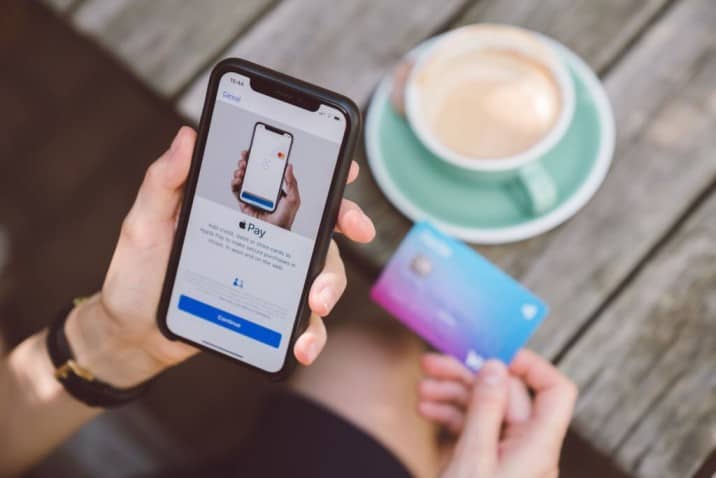
Customers who wish to use Apple Pay just have to add their credit or debit card information to the Wallet app on their iPhone, and then, Apple Pay is ready for use on all connected Apple devices belonging to the customer.
Apple Pay works on Apple-authorized devices by making the devices communicate wirelessly using Near Field Communication (NFC) with the point of sale system. Two-factor authentication using either the Face ID, Touch ID, passcode, or PIN is required to complete payments of purchases when using Apple Pay.
NFC technology, which Apple Pay uses, held out at Walmart for more than a decade. That changed starting August 2026, when Walmart began rolling out NFC-based tap-to-pay support across its stores.
Does Walmart Take Apple Pay for Purchases?
Yes, as of 2026. Walmart began accepting Apple Pay on August 24, 2026, at select Walmart and Sam’s Club locations, ending a policy that had held for over a decade despite years of requests from iPhone users.
Walmart says it plans to expand the rollout to all US stores and clubs by the end of 2026, with fuel stations following by mid-2027. Because the change is rolling out store by store, it’s worth checking with your local Walmart if you’re not sure whether the terminal there has been updated yet.
Apple Pay uses Near Field Communication (NFC) to authorize payments, and Walmart’s checkout terminals are now being upgraded across its stores to support it.

Users of Apple devices would need to download the Walmart App to pay for purchases either on Walmart online stores or at the actual store.
Why Did Walmart Reject Apple Pay for So Long?
Most stores accept Apple Pay for payments of purchases, but Walmart held out for years before finally accepting it in 2026.
There were a few reasons Walmart resisted Apple Pay for so long. Some of them have been explained below.
- Walmart’s alternative to Apple Pay
One major reason Walmart held out for so long is that it already had an alternative payment platform. Walmart has Walmart Pay App, an alternative that works similarly to Apple Pay.
Accepting Apple Pay was always going to affect the number of Walmart customers using Walmart Pay, since they serve almost the same purpose.
- Decrease in Walmart Revenue
Accepting Apple Pay meant a potential decrease in revenue for Walmart, since Apple Inc. earns more as Walmart customers use it, reducing Walmart’s revenue from Walmart Pay.
That tradeoff is part of why Walmart resisted the switch for so long, even as it now offers both options.
- Data Collection hampering
Accepting Apple Pay also meant giving up some of the customer data Walmart collects through its own platforms, which it uses to provide a personalized shopping experience for them.
A personalized shopping experience enables an easy and convenient shopping experience for customers.
- Nonsupport for NFC technology
For a long time, Walmart’s checkout terminals also simply didn’t support near-field communication technology at all, relying instead on the Quick Response (QR) code technology used by Walmart Pay. That’s changed with the ongoing rollout of updated terminals.
- Cost
Walmart is a large retailer that is focused on keeping costs low for its customers, and avoiding Apple Pay for years meant avoiding the transaction fees typically associated with it.
- Competition
Walmart Pay is a direct competitor to Apple Pay, and for years, not accepting Apple Pay helped drive more customers to Walmart’s own payment system.
- Security
Walmart may not have felt entirely comfortable with the security measures Apple Pay had in place, preferring to rely on its own payment system.
- Data Access
Walmart may not have wanted to share customer data with Apple, and avoiding Apple Pay let it keep that data to itself.
- Branding
Walmart is a large retailer that has historically wanted to control its brand image, and sticking with its own payment system was part of that.
What form of payment is accepted by Walmart?
Walmart accepts a lot of payment options, including its own checkout alternative, Walmart Pay, and now Apple Pay too at supported locations.
Aside from Walmart Pay and Apple Pay, Walmart also accepts all major credit cards including Visa, Mastercard, American Express, and Discover, as well as debit cards, cash, PayPal, Venmo, Klarna, Chase Pay, EBT card and Walmart gift cards.
When Did Walmart Start Taking Apple Pay?
For years, it looked like Walmart would never budge on this. Walmart was a founding member of the Merchant Customer Exchange (MCX), a group of retailers that built their own mobile payment solution and, according to Business Insider, contractually committed to shutting out competitors like Apple Pay.
MCX quietly wound down years ago, but Walmart kept declining to support NFC payments on its own terms, long after most of the retail industry had moved on. That changed on August 24, 2026, when Walmart began accepting Apple Pay at select stores and Sam’s Club locations, with plans to reach all US locations by the end of 2026 and fuel stations by mid-2027.
Related Article:
Does Walmart Accept Google Pay?
Does Walmart Accept Samsung Pay?
Does Walmart accept Afterpay and Buy Now, Pay Later
How to use Walmart Pay to pay for purchases
Unlike Apple Pay, Walmart Pay is for both Android and Apple devices. It is free and easy to use as well.
Here is how to use walmart pay to pay for purchases:
- Open the Walmart app on your mobile device and log in.
- Select the Walmart Pay option from the menu.
- Scan the QR code at the register with your device.
- Select the payment method you would like to use (e.g., credit card, debit card, or Walmart gift card).
- Confirm the payment amount and enter your PIN.
- Your payment is complete and your receipt will be sent to your email.
Also, you do not have to worry about receipts. When you pay for your purchases at Walmart stores using Walmart Pay, your receipts are automatically saved to your account.
They are called e-receipts and can always be found any time you log into your Walmart account.
Follow the step below to know how to set up Walmart Pay
- Download the Walmart App on your Android or Apple device.
- Open the app.
- Create a Walmart account if you do not have one.
- Sign in to your Walmart account.
- Tap Walmart Pay.
- Enter your loaded credit cards, debit cards, or gift cards, if you have not entered them before.
- Choose the card you want to use with Walmart Pay.
- Set up a PIN to be used to check out by you.
- For extra security or quicker access, you can set up a Touch ID as well.
Note: You can change the preferred card to use with Walmart Pay anytime. Also, you can add and remove any payment method anytime you want.
Steps to use Walmart Pay in store
- Get all the items you need and shop as you would normally.
- Scan all items at checkout.
- Open the Walmart app on your smartphone.
- Sign in to your Walmart account or create one if you don’t already have one.
- Select the “Payment” option.
- Select the “Walmart Pay” option.
- Allow the app to access your location.
- Scan the QR code at the register using your phone’s camera.
- Select the payment method you want to use (e.g. debit/credit card, Walmart Gift Card, etc.).
- Confirm your payment.
- Present the on-screen barcode at the register for the cashier to scan.
- Your purchase will be processed and you’re all set!
Note:
- Walmart Pay can not be used at Walmart fuel pumps or Murphy USA gas stations.
- You can not use Walmart Pay to receive cash backs at the checkout in Walmart stores.
- Gift cards are automatically used for payment first unless the feature has been disabled.
Stores that take Apple Pay
Over 85 percent (85%) of retail stores accept Apple Pay. So if you want to use Apple Pay to pay for your purchases at any store, you should inquire with the customer service department first before proceeding to get the items you want or need. A few of the stores that take Apple Pay are:
- Acme Markets
- Shop N Save
- Food Maxx
- Target
- Costco
- Super Value
- Public
- IKEA
- Albertsons
- Safe way
- Winn Dixie
- Save Mart
- Whole Foods Market
- Schnucks
- Walgreens and many more.
How do I pay with an iPhone at Walmart?
At supported locations, you can now simply tap your iPhone or Apple Watch at checkout using Apple Pay. If your local store hasn’t been updated yet, or you’d rather stick with Walmart’s own option, you can still pay with an iPhone using Walmart Pay.
So, you can download the Walmart Pay App (download for IOS users and download for android users), sign up and start transacting as explained above.
Bottom Line
Walmart now takes Apple Pay, as of the rollout that began in August 2026, ending a policy that had held for over a decade. Walmart’s own alternative, Walmart Pay, is still around too and works similarly.
Both are free and easy to use. Apple Pay is restricted to Apple devices, while Walmart Pay works on both Android and Apple devices.
Walmart Pay can only be used in Walmart stores, while Apple Pay is accepted at a much wider range of other stores and platforms, so you now genuinely have a choice between the two at supported Walmart locations.


![Walmart Makeup Return Policy in 2026 [Key Things You Must Know]](https://www.ripenecommerce.com/wp-content/uploads/2022/10/istockphoto-1336139626-612x612-1-300x200.jpg)